Transfer of documents from Business Central to ELO
Automatic Transfer
In the SIEVERS ELO Connector Report Setup you define which documents are to be released for transfer at which time.
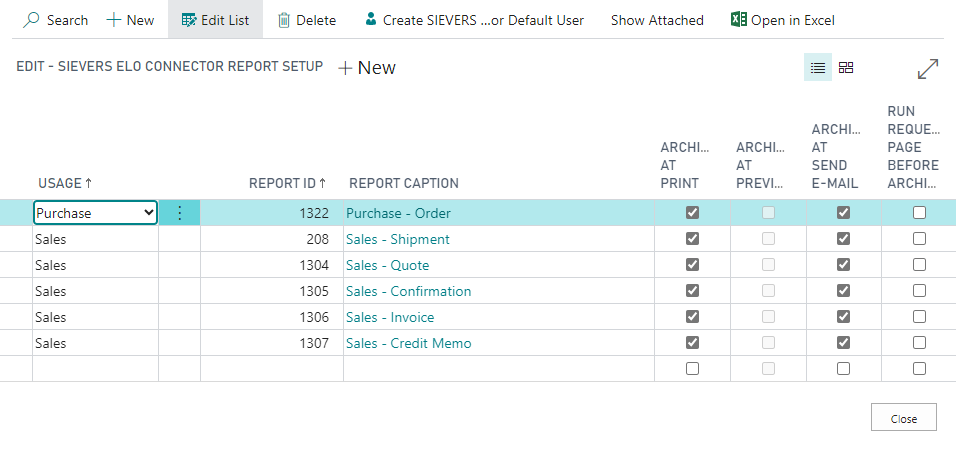
The following options are available:
- Archive on print
- Archive at print preview
- Archive when sending by e-mail
If you have activated one or more options, the document will be transferred in this case.
Hinweis
Archive at print preview can only be activated if you have activated the option Use individual reports in the ELO setup.
After successful transfer you will find the document(s) in the ELO archive.
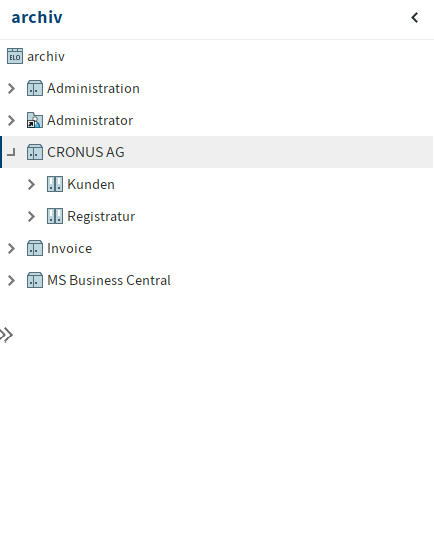
The necessary folders are automatically created in ELO. The folder with the name of your company is one of them.
Hinweis
The folder MS Business Central has not been created by the ELO Connector, but belongs to the official ELO extension.
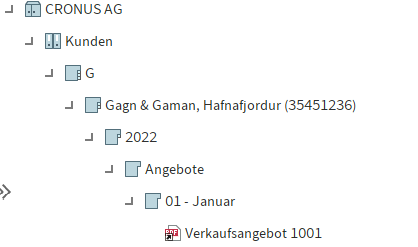
The transferred document is stored twice in the archive. Once at the customer and once in the registry.
The customer folder is sorted by the first letter of the customer's name. In the subfolders you will find the customer, the year, the document category, the date and then the corresponding documents. The registry is structured in a similar way. The purpose behind the double filing is a simplified overview. This way, documents can be found easily both by the customers themselves and by the type of documents.
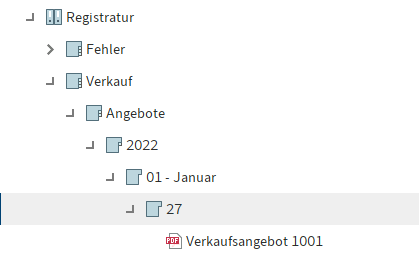
The Error folder is for documents that were transferred with errors. So that they are not lost between the transfer, they are stored here. Such errors could be missing metadata, for example. Contact SIEVERS-Group Support to correct the errors.
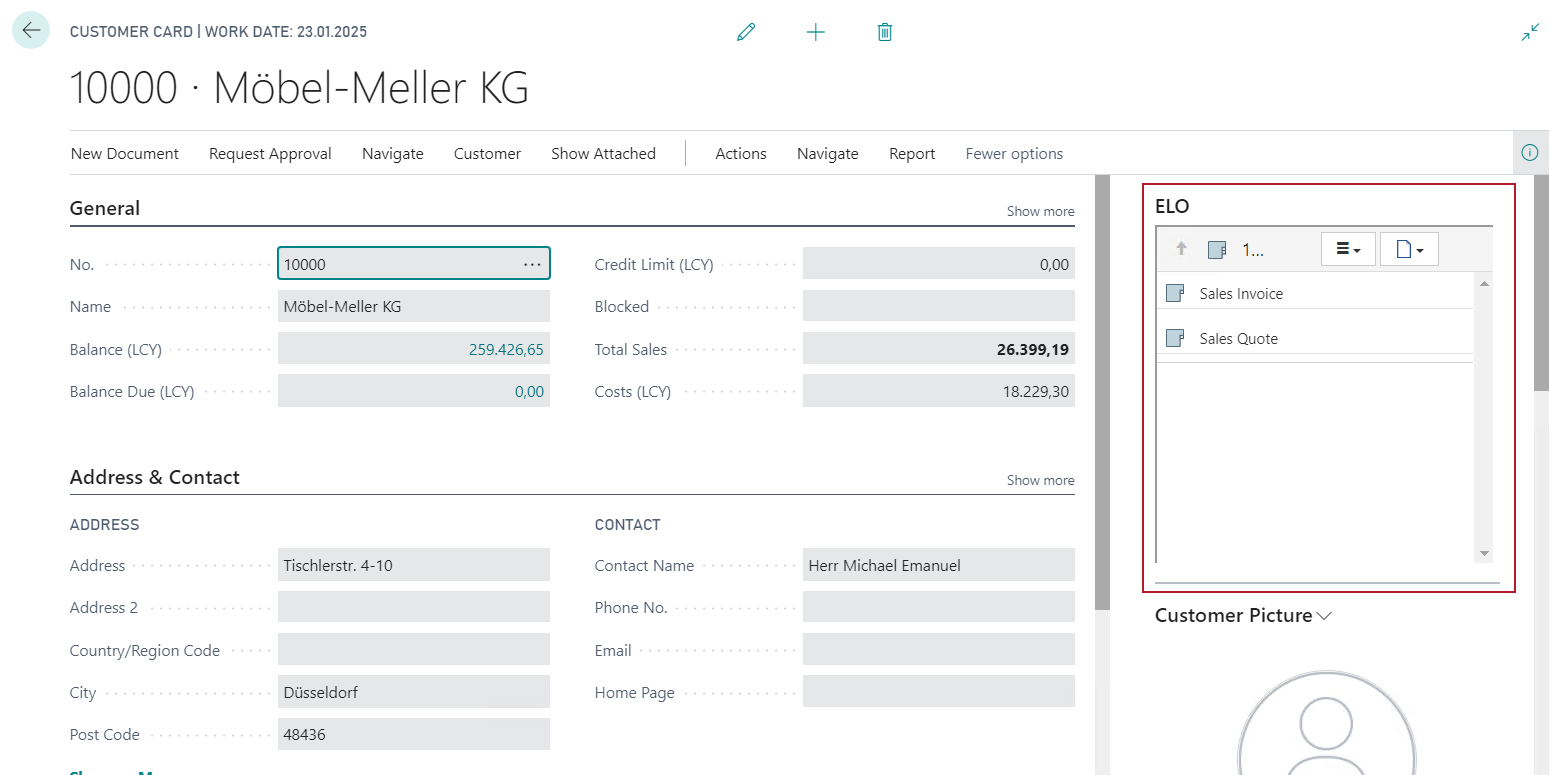
Integration Client
In the Business Central documents you will find the ELO area in the details. The ELO Integration Client is displayed here after setting the fields in the SIEVERS ELO Setup.