Service Documents
You can attach document images like PDF files to service orders, service invoices and service credit notes. A factbox in the details of the respective document is used for this purpose.
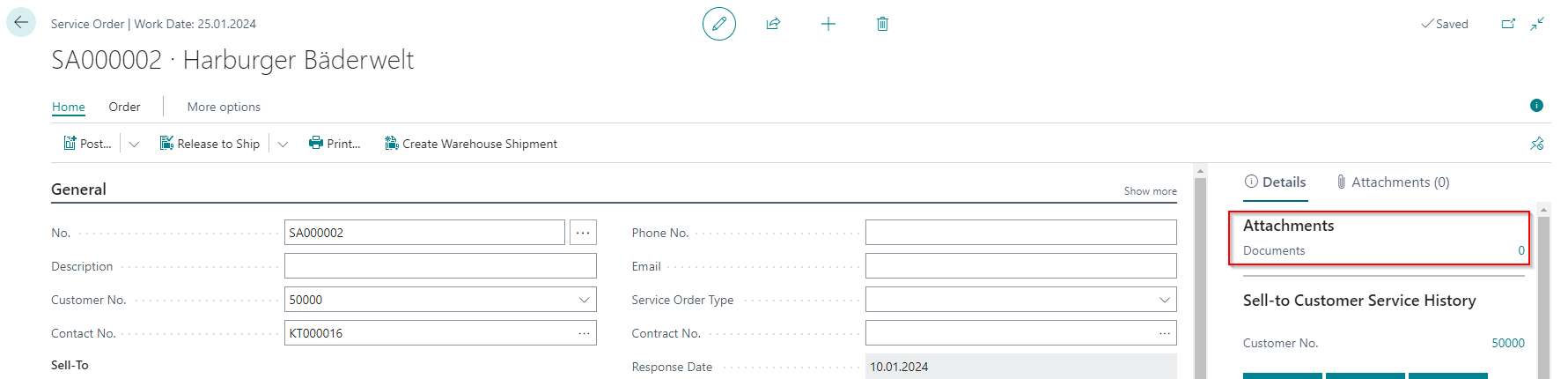
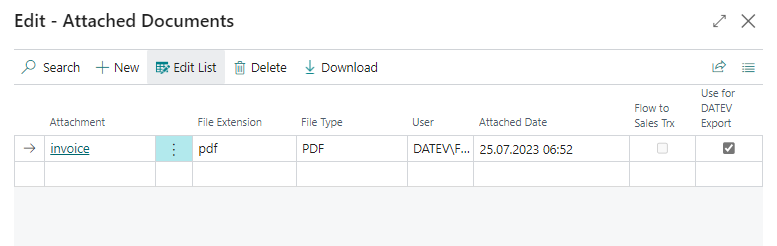
Click on the number to open the window where you can deposit the attachments.
Hinweis
Unallowed signs in the names of the document attachments will be replaced by underscore by DATEV. DATEV allows these signs in the names of the document attachments: Space &()+-._ 0-9A-Za-zÀÁÂÃÄÅÆÇÈÉÊËÌÍÎÏÐÑÒÓÔÕÖØÙÚÛÜÝÞßàáâãäåæçèéêëìíîïðñòóôõöøùúûüýþÿ
With the Use for DATEV Export indicator, you can decide whether this attachment is to be utilised for the DATEV Buchungsdatenservice export. This function requires the activated function Only marked document attachments in the SIEVERS DATEV Buchungsdatenservice setup.
When posting the document, the attachment is transferred to the posted invoice/credit memo.
If the document is to be exported, the Source of attachment option must be set to Document Attachment in the SIEVERS DATEV posting data service setup. See section Documents.
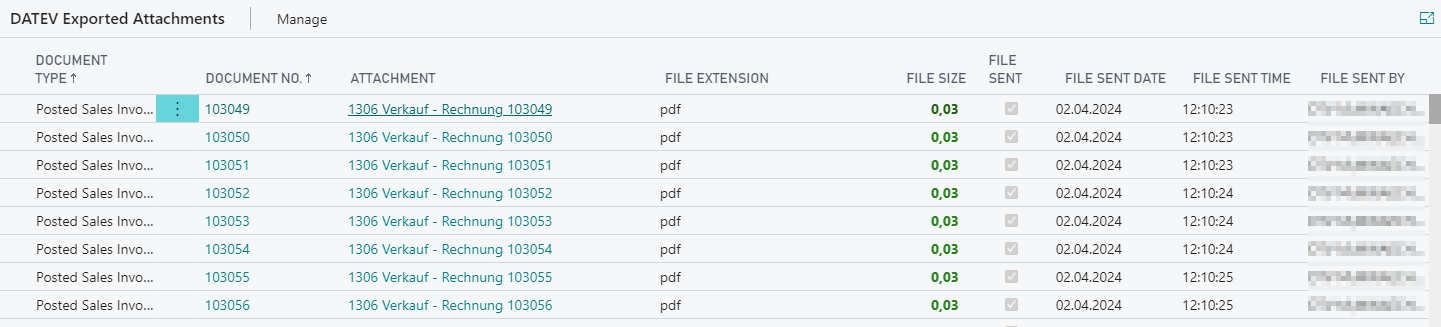
After the export, you will find the files in the list of exported attachments.