Features
Important Topics
Setup
- A2 Block Original Location when New Target Location is Searched
- Order Assignment from Warehouse Receipt and Subsequently in Warehouse Shipment
- Publish ShipXpert Web Services
Replenishment Strategy Load Carrier Replenishment Renamed and Specified - Item 116118
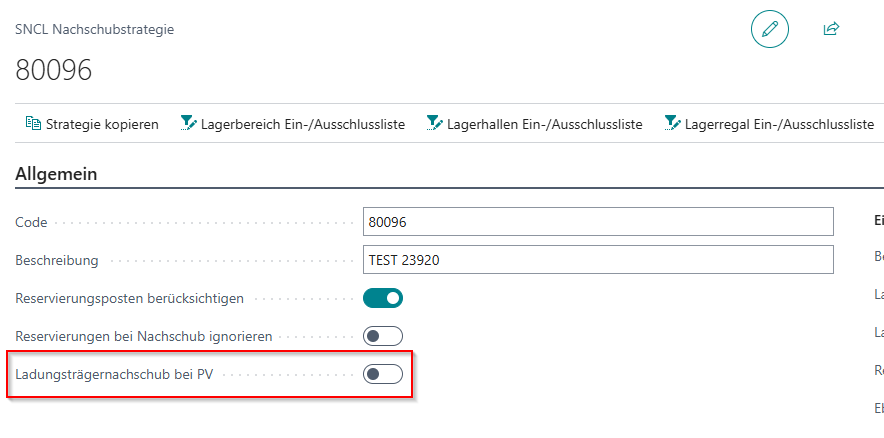
We have renamed the option field Load Carrier Replenishment and specified the tooltip. The field is now called as follows:
- Load Carrier Replenishment for PS: Only for move jobs of type 'Production Supply' and when the entire quantity of a non-mixed carrier is required, a Load Carrier move job is generated. Otherwise, an inventory replenishment occurs.
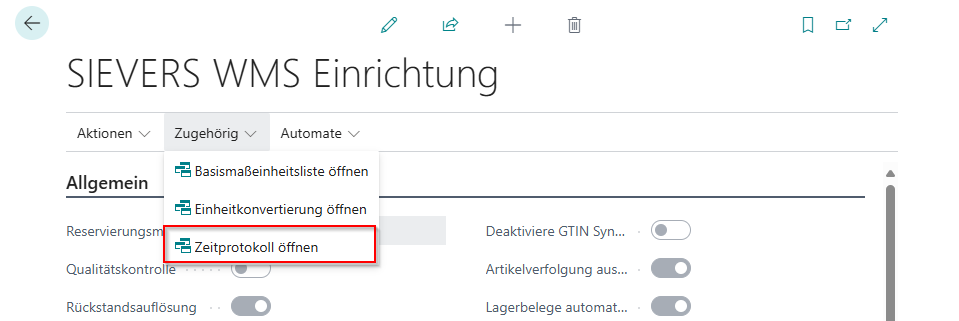
Time Log and Tooltip - Item 116018
There is now a time log for the SIEVERS WMS Setup. Here you can track who activated or deactivated the option field Allow Correction Postings without WMS and when. The time log currently has no further function.
The background is that the option field Allow Correction Postings without WMS enables profound and inadmissible postings without WMS checks. This poses a significant risk of deviations between item and warehouse entries in Business Central. This function should be used exclusively in exceptional cases.
To ensure complete traceability, every change to this flag is now logged. The tracking serves as protection against operating errors and ensures that adjustments are traceable and verifiable at all times.
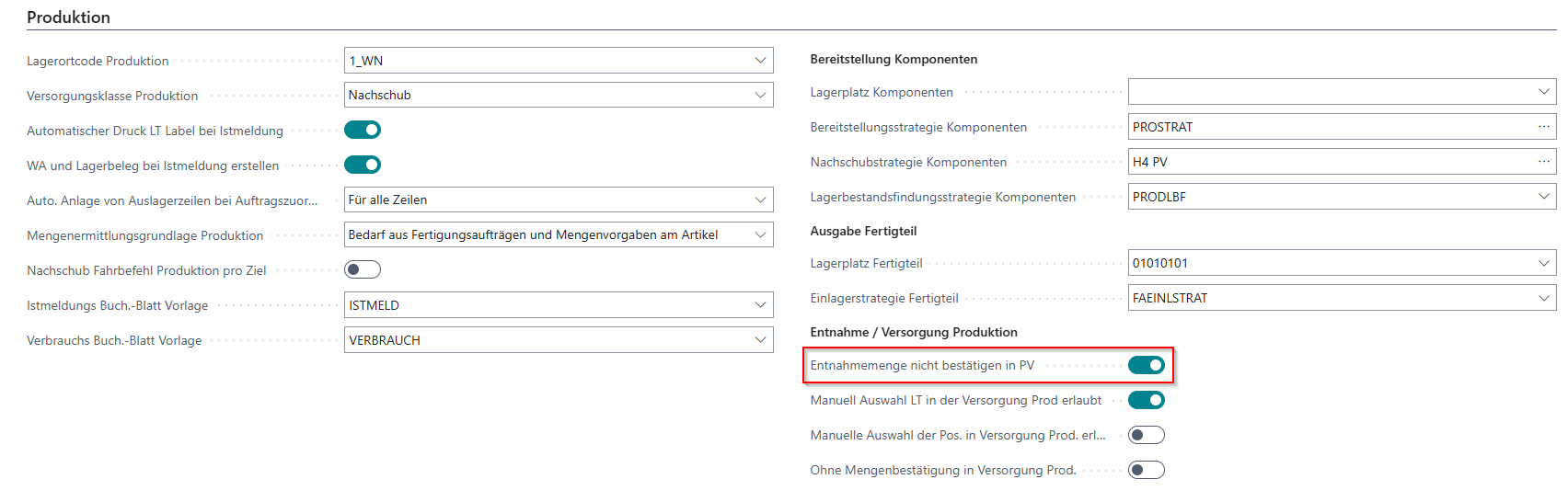
No confirmation of take out qty in PS Now in Production Supply Section - Item 115046
The option field No confirmation of take out qty in PS was previously still located in the Internal Transports section. However, since it referred to production supply, we have moved it to the Production area. It can now be found under the heading Withdrawal / Production Supply.
Load Carrier Source - Item 115643
With this release we introduce a new feature that should create transparency about which process a carrier was created in within SIEVERS WMS. This improves traceability and facilitates daily work.
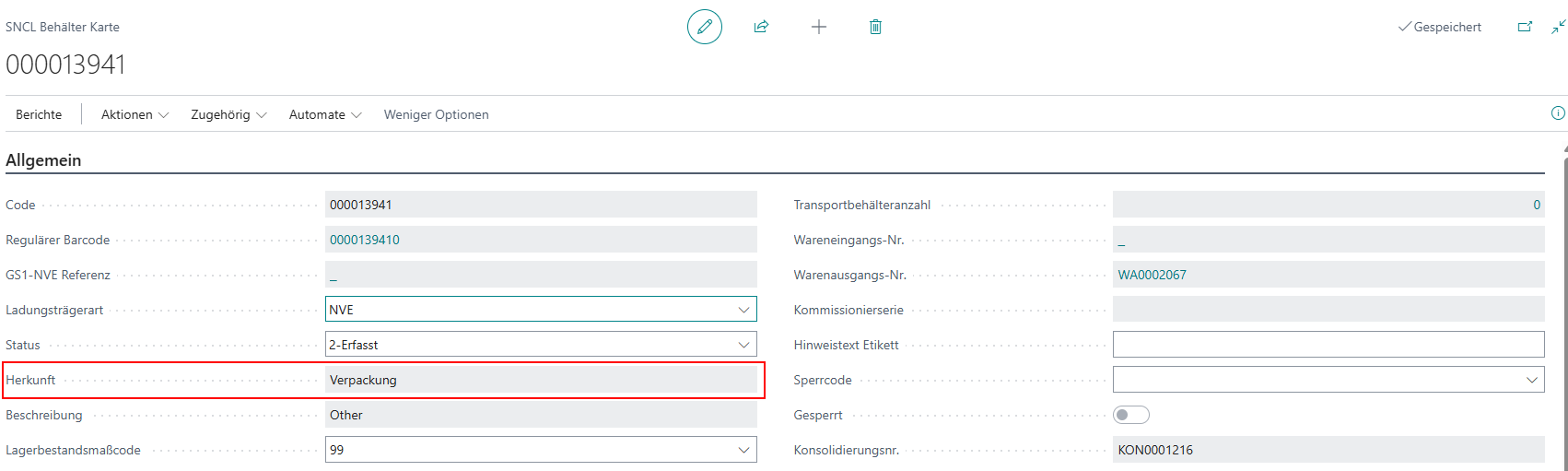
For this purpose, a new field was created on the Load Carrier:
- Source: Shows in which SIEVERS WMS subprocess this carrier was created.
In the SNCL Outbound Stock Post and the posted Outbound Stock Post, this field is now located in the Outbound Stock Post lines:
- Load Carrier Source: Shows in which SIEVERS WMS subprocess this carrier was created.
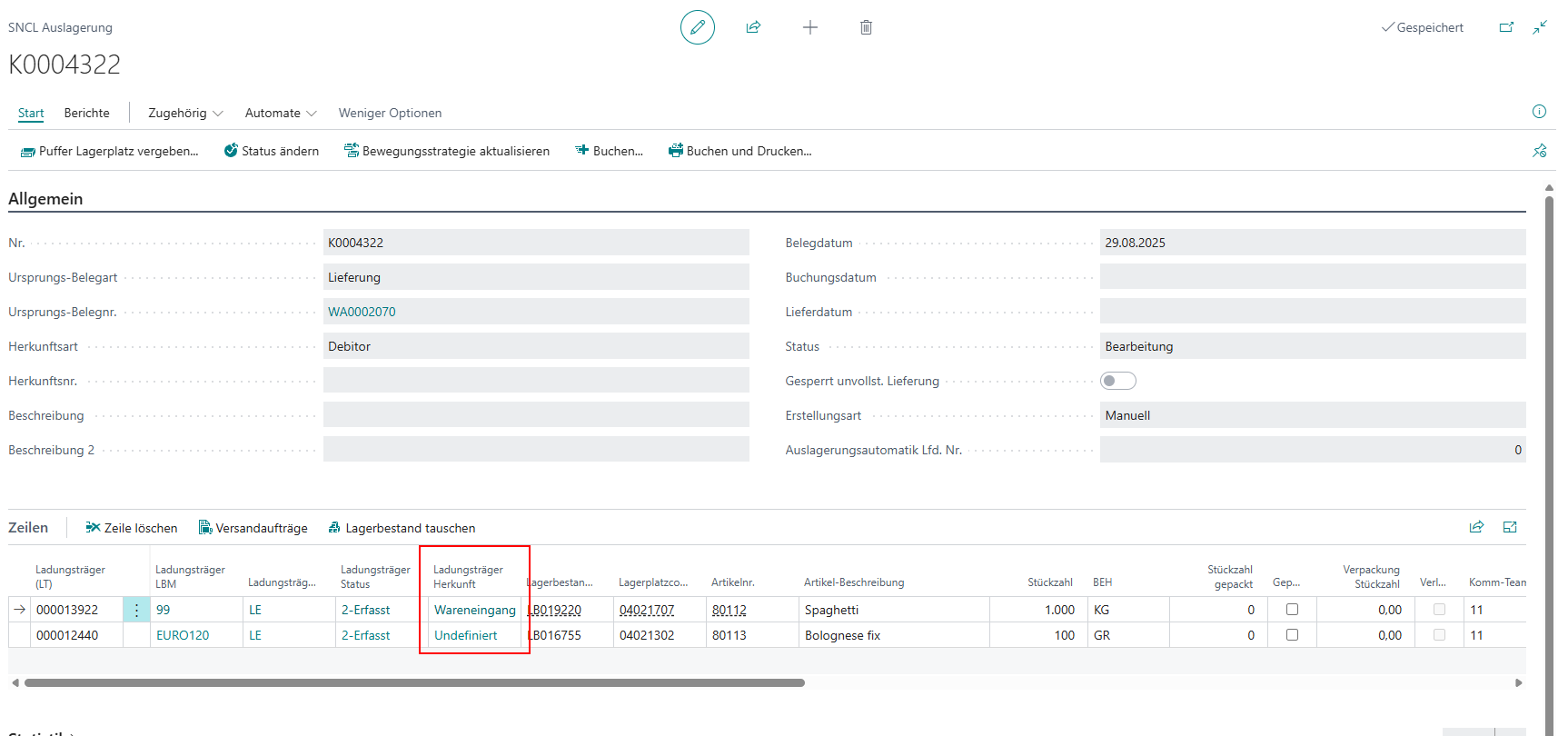
The fields are filled as follows:
- Warehouse Receipt:
- In Document: When creating carrier lines via Quantity Matched
- Mobile: In A1.6 when scanning a blank barcode or creating multiple similar carriers
- Pick:
- In Document: When scanning a blank barcode or via Create Load Carrier in the document
- Mobile: When creating a Load Carrier or scanning a blank barcode in A4.2 and A4.3
- Packaging:
- In Document: When scanning a blank barcode
- Mobile: When scanning a blank barcode in A5
- Move Job:
- In Document: New Target Load Carrier
- Mobile: Scanning a blank barcode or using the function New SU
- Stocktaking:
- In Document: Create Load Carrier or Create Load Carrier for Current Line in the cycle counting list or scanning a blank barcode
- Mobile: B3/B5 Scanning a blank barcode in stock recording
- Production
If a carrier was created by something other than these processes, undefined is entered in the field.
The field was also included in the Load Carrier change log.
Order Assignment from Warehouse Receipt and Subsequently in Warehouse Shipment - Items 115959 and 115962
In Release 50 we inserted a new setup field:
- Create WS/Warehouse Document for Order Assignment in WR: If this setup is active, a warehouse shipment and a warehouse document are generated. If the setup is deactivated, no PTU and SSCC are produced in the warehouse receipt either. The assignments in the WR remain ineffective. SU are created. No reservation entries are maintained. If order assignment in the WR is clicked, an error message appears.
This setup is essentially a direct handover of a package from a warehouse receipt to an assigned warehouse shipment.
Until now, this setup field had no function. In this release we have implemented the following functionalities:
With inactive setup:
- No warehouse shipments, Outbound Stock Posts, PTU or SSCC are generated via the warehouse receipt. Order assignment in the warehouse receipt is only possible if a warehouse shipment was created manually. In this case, a Outbound Stock Post with the line is generated during assignment and pick and packaging are automatically processed in the system.
With active setup:
- A warehouse shipment is automatically generated when posting the warehouse receipt if there is none yet. Additionally, a Outbound Stock Post is created.
- If there is a warehouse shipment at the time of order assignment but no Outbound Stock Post yet, the Outbound Stock Post line is created in the warehouse shipment according to the assignment.
- The Outbound Stock Post is completely processed in the system, including pick and packaging.
Furthermore, we have implemented appropriate error handling. It is checked whether matching source document lines exist that are not yet in a Outbound Stock Post and whether source document lines were deleted or reduced in the meantime.
Packaging Process
Employee Marking - Item 64172
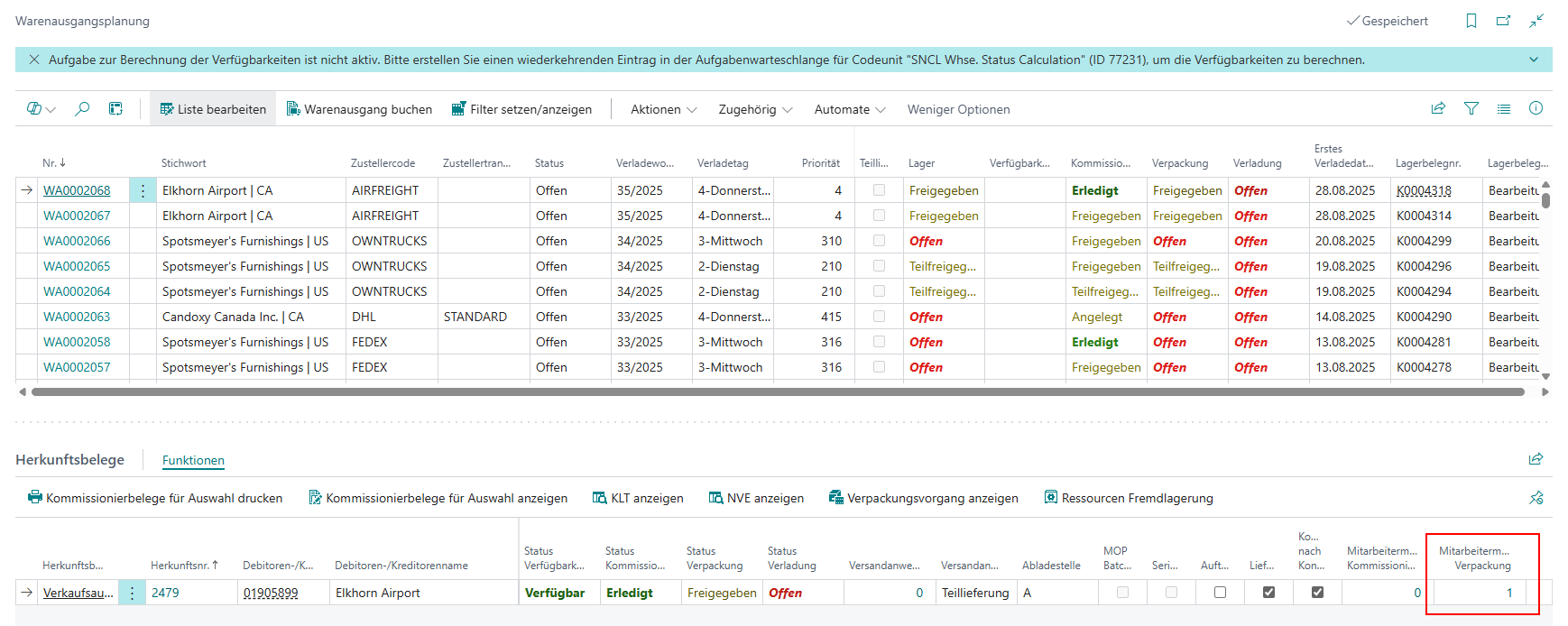
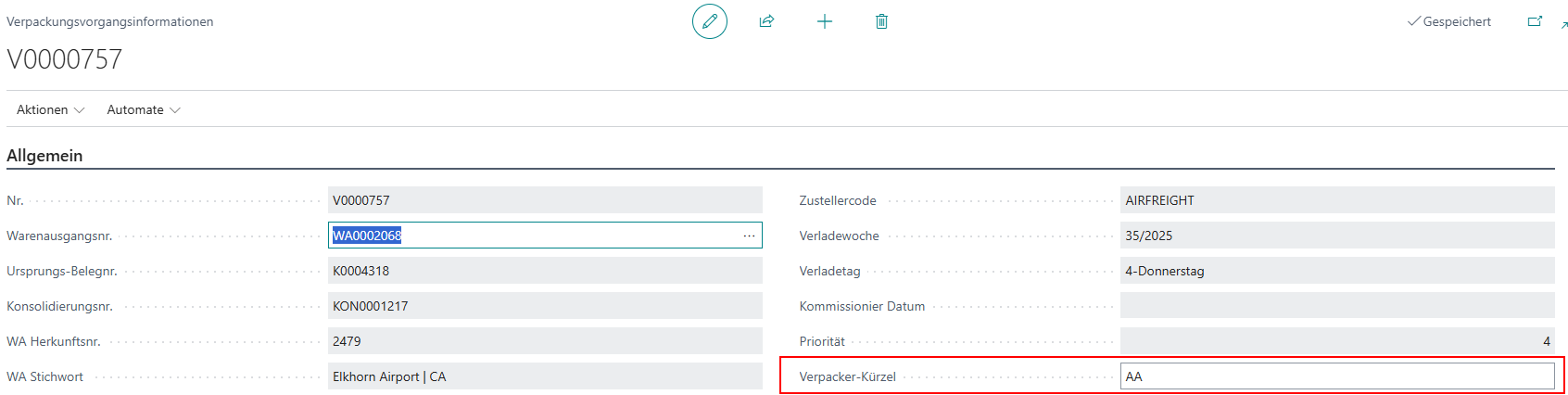
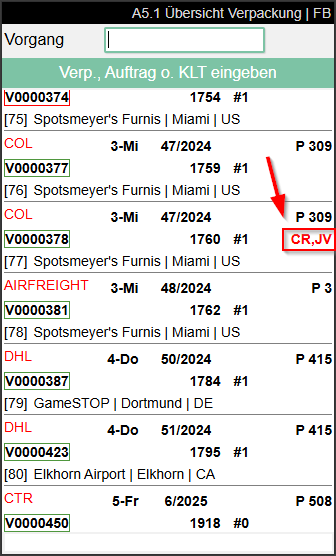
Similar to picking, there are now also employee markings in packaging. The employee marking is automatically set as soon as an employee selects a packaging process in A5 on the mobile device. When the employee leaves the packaging process on the mobile device again, the employee marking is also removed.
The employee markings are displayed in the following locations:
- Warehouse shipment planning in the source documents
- Packaging process overview
- Packaging process
- A5.1 Packaging overview on the MDE

Shipping
Cancellation of Archived Labels Possible - Item 95538
It is now also possible to cancel already printed and archived ShipXpert labels. Please note that the cancellation is only recorded in ShipXpert and the already completed process in Business Central remains untouched.
Publish ShipXpert Web Services - Item 97917
There is a new action in the ShipXpert setup:
- Publish the ShipXpert Web Services: Publishes the ShipXpert web services for the following pages:
- Item Card
- Shipping Agent
- Shipping Agent Services
- Comments
- Lines
- Posted Sales Shipment
- Warehouse Shipment
Furthermore, this action is suggested as a popup when opening the setup for the first time.
Mobile
A3 Adjustment of Instructions - Item 111433
We have formulated the instructions in A3 more step-by-step and clearer. For example, A3.2 no longer shows Scan SU/SP | Select Inv | Quantity but Scan Carrier (SU) or Storage Place.
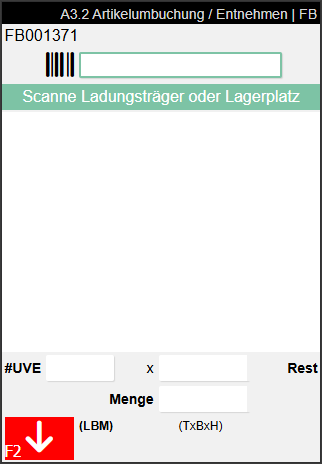
This makes processing tasks significantly easier, especially for inexperienced employees.
Pick Cancellation in A3 - Item 112973
With Release 49 we introduced the new move job type Pick Cancellation. This is part of the pick cancellation process. So that these move jobs can be processed mobile, they are now displayed in A3 Item Transfer.
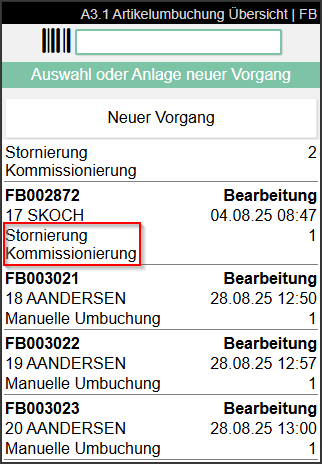
Take Photos in A2 and A5.2 - Items 103412 and 103414
We have built the photo function into additional areas of the mobile system: A2.0, A2.1, A2.2 Internal Transports and A5.2 Packaging SU Overview.
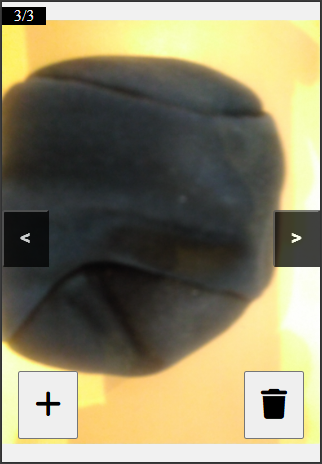
You can use the photo function like on the other pages. Press F6 to take a new photo or click on the corresponding menu item in menu B.
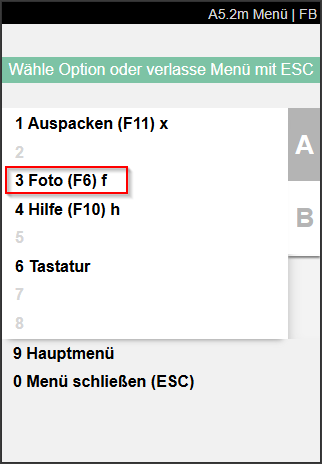
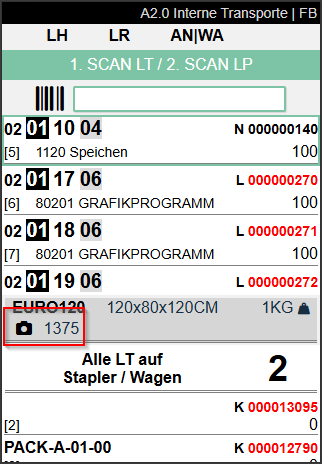
Photos taken in A2 are saved on the Load Carrier. You can view these on the right side in the FactBox:
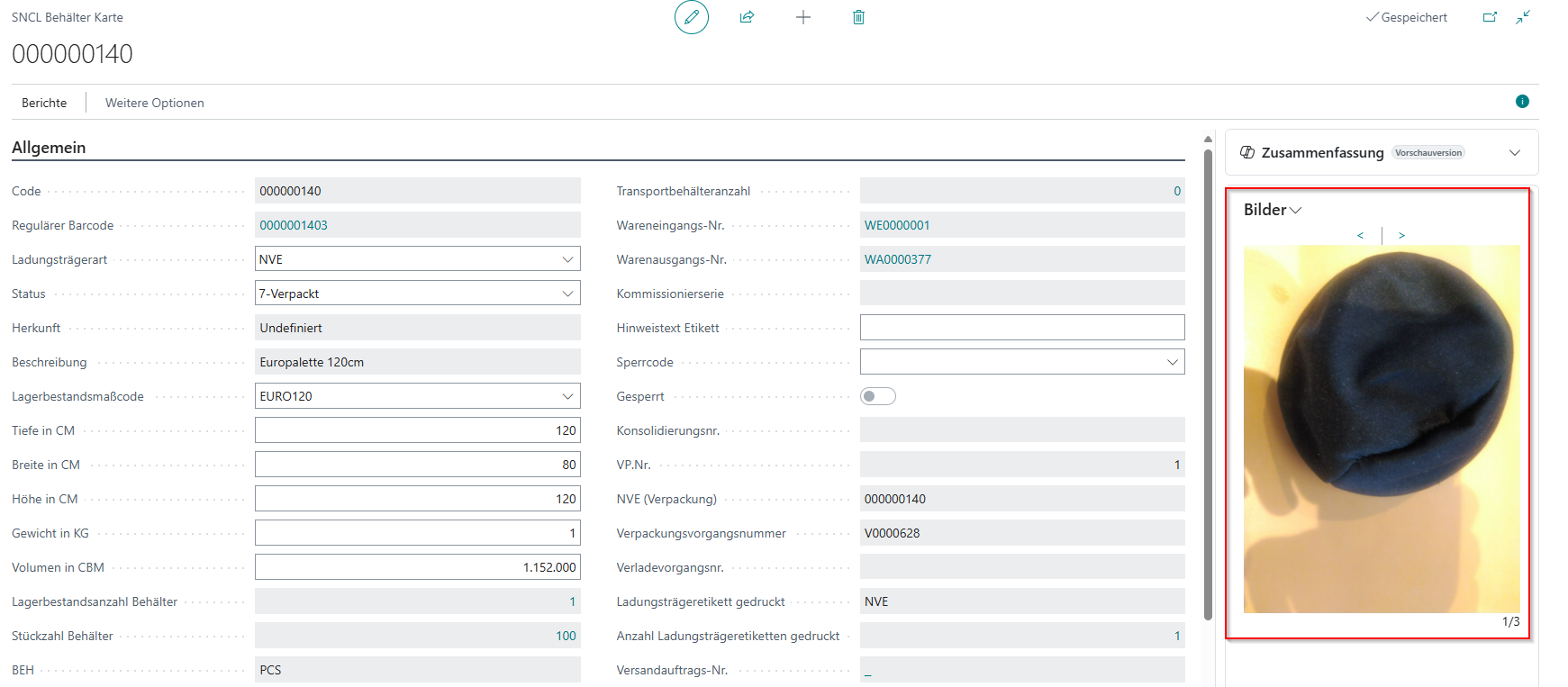
If there is a photo on the Load Carrier, this is indicated by a corresponding symbol in the gray info area. You can also call this up with F6 or via the menu. Via the + symbol you can add more photos or delete the displayed photo.
A2.0k Calendar Field - Item 95249
We have adjusted the date field in the A2.0k filter. Now you can only enter dates or use the adjacent calendar field to select a date.
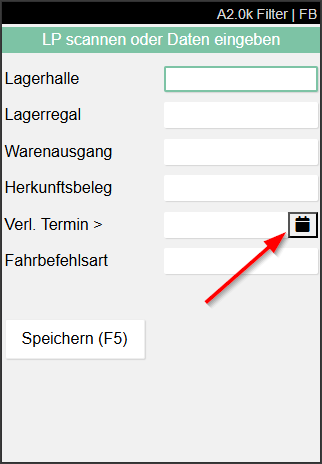
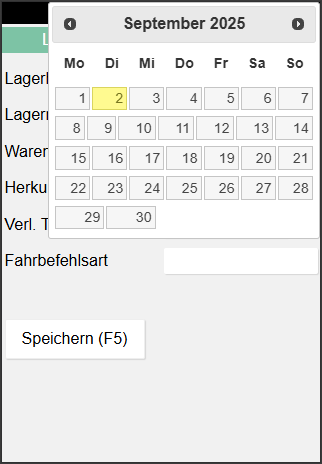
If a date is entered in this field, the system filters the move jobs by loading date younger than the entered date.
A2 Block Original Location when New Target Location is Searched - Items 104135 and 104140
There are now two new fields in the SIEVERS WMS setup:
- Block Orig. Target Location A2: Causes the original target location to be blocked when searching for a new target location in A2. There is a corresponding query when changing the target location in A2. This is useful when the change occurs because the actual target location is not usable.
- Block Code Internal Transports: Default block code that should be assigned when the original target location in A2 was blocked. If nothing is entered here, a query is started each time during blocking, in which the user must enter a block code.
When selecting a new target location via B1 menu item or pressing the F7 key, it is now queried whether the original target location should be blocked:
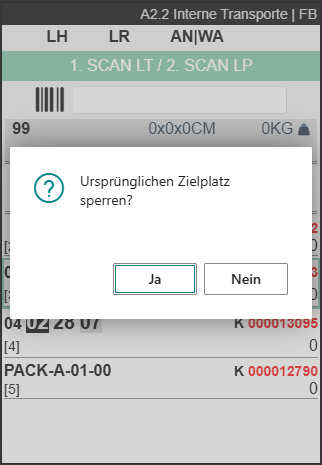
If nothing is entered in the Block Code Internal Transports field, the user must select a block code himself:
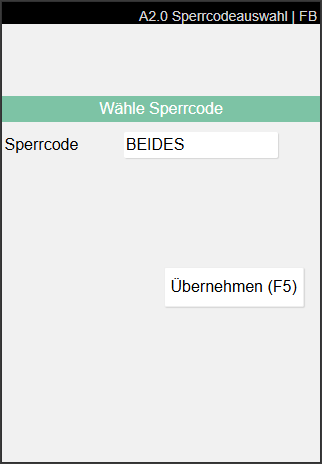
Subsequently, the location is blocked.
A7 Photo Display and Capture - Items 103407, 103408, 103409
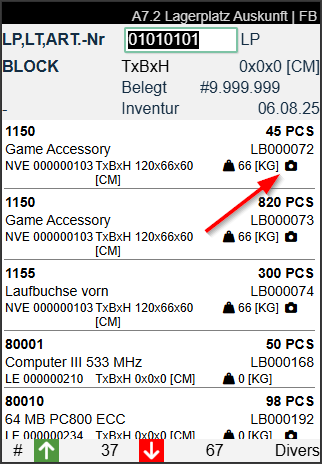
On the A7 information pages you can now view photos and create new photos. The following new functions are available:
- A camera symbol is displayed when a photo is stored
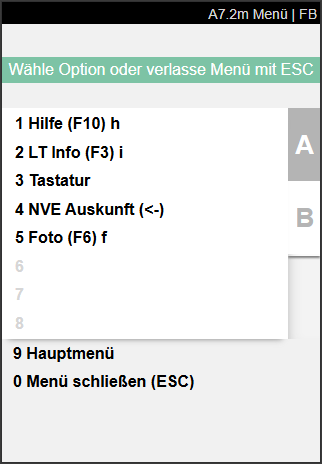
- The photo can be displayed with F6 or menu item B5
- If no image is stored yet, capture mode opens with F6 or B5 and the user can take a new photo. This is saved on the item card.
- The image can also be viewed on the item card.
::: Note Currently there is still a malfunction: Existing images cannot yet be replaced. We will fix this issue in the next release. :::
C2.2 Target Filter - Item 111712
There is now a target filter for supply positions for C2.2.
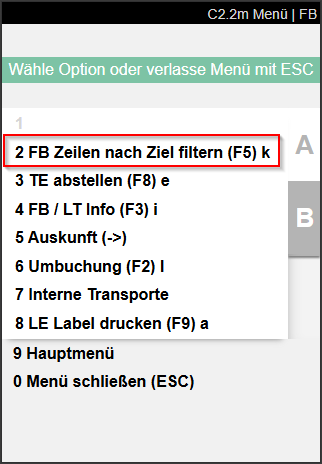
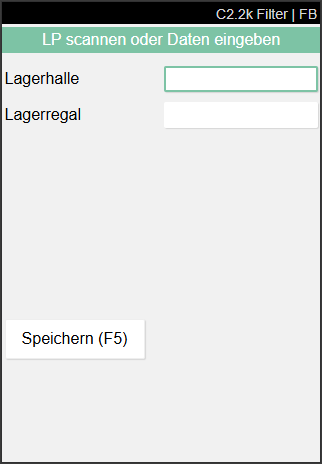
Here you can filter the move job lines in C2.2 by warehouse and storage shelf. This way the user can manually process nearby targets from the pallet.
C1.2 Blank Barcode Identifiable in C2.1 - Item 116833
In C1.2 and C1.3, a Load Carrier can be created by scanning a blank barcode to start the withdrawal of production supply, if all stocks withdrawn from the pallet should be collected. However, until now it was the case that the Load Carrier could not be scanned directly later in C2.1. First an SU label had to be generated to create the regular barcode necessary for scanning. We have eliminated this circumstance. As soon as a Load Carrier is generated in C1.2, it can also be scanned in C2.1. This is achieved by automatically generating the regular barcode when scanning the blank barcode.
B5.3 SU Reprint Shows Unposted Carriers - Item 105580
During a stocktaking it can happen that new stocks are found and registered via the cycle counting list. For technical reasons, these new stocks are only firmly posted in the system after completion and posting of the stocktaking. This previously led to the fact that a reprint of SU labels via B5.3 SU Reprint was not possible, since only carriers posted in the system were displayed there.
We have removed this circumstance. Carriers that contain items according to the running stocktaking are now also displayed, even if they are not yet posted in the system.
Minor Changes
- B2 SU reprint is now also operable with arrow keys. Error messages are no longer popups - Item 95341
- A8 Team/Forklift now outputs an error message when a forklift has no storage place assigned upon selection - Item 103952
- In the stock entries, the field Edited by is now filled when an item is transferred from a PTU to an SSCC during packaging. This applies both to processing in A5.2 carrier overview and to item-wise packaging - Item 111188
- When trying to open info in A3 without selection, a red message now appears in the feedback area instead of an error popup - Item 115930
- Menu option 1 in menu B3.3m is now called Cancel new inventory - Item 114237
- B5.4o Size of quantity field adjusted and Base Unit of Measure added - Item 106824
- A click on the keyboard symbol in the menu bar on the mobile device now opens the keyboard as planned. Another press closes it again - Item 119657
- B5.5 New stock now shows the Base Unit of Measure next to the quantity field - Item 106593
Bugfixes
Mandatory field for inventory finding strategy removed for non-WMS locations - Item 116779
It was fixed that the field "Inventory selection strategy components" is no longer considered a mandatory field for consumption postings on non-WMS-managed locations.
Headers in stocktaking evaluation correctly localized - Item 118092
We fixed an error where the headers in the stocktaking evaluation via the WMS role center were incorrectly displayed in English instead of German.
Double shipping label printing - Item 95534
We fixed an error that occurred when reprinting a shipping label.
Consistent display of Load Carrier information in the inventory item overview - Item 118332
It was fixed that for inventory items without Load Carrier code, the values in the columns Load Carrier Load carrier type and Load carrier type changed inconsistently when filtering or sorting; now these values remain empty or at default values.
Inventory item creation correctly considers the inventory measures from the packaging hierarchy - Item 117206
An error was fixed where the inventory measures were not correctly taken from the packaging hierarchy.