Features
Stocktaking
Print Cycle Counting List - Item 61211
Now you can print the new report Cycle Counting List from the Cycle Counting page.
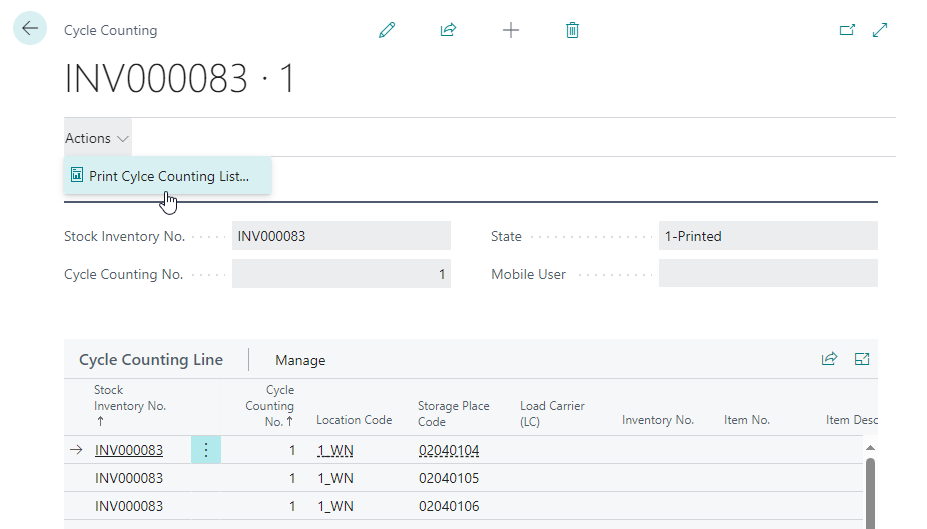
Printing the list sets the state to 1-Printed.
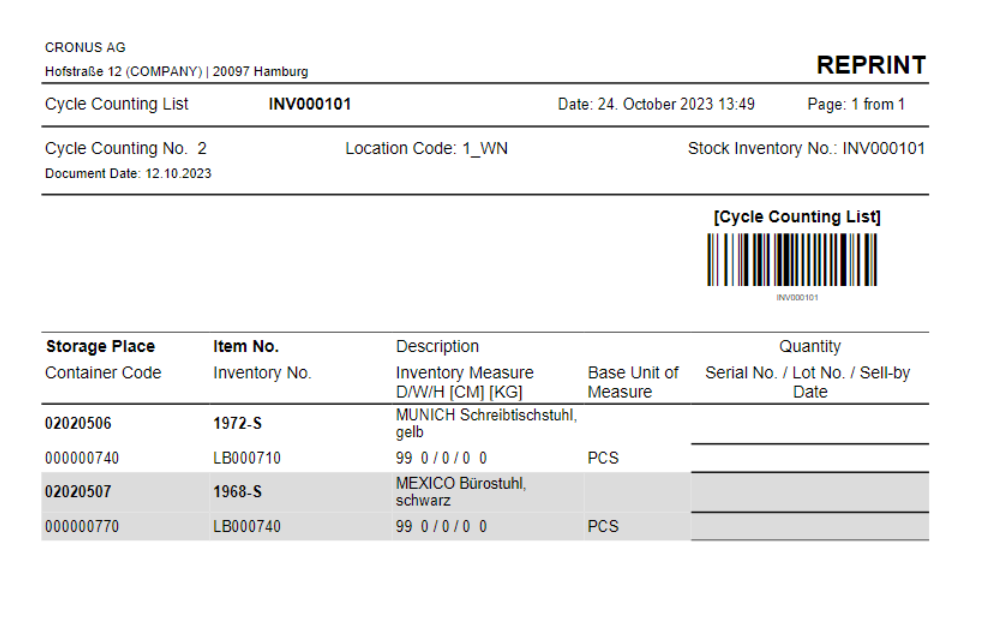
Cycle Counting List status set to "counted" automatically - Item 64839
If all positions or lines were counted in SNCL cycle counting list, the status of the cycle counting list automatically jumps to counted.
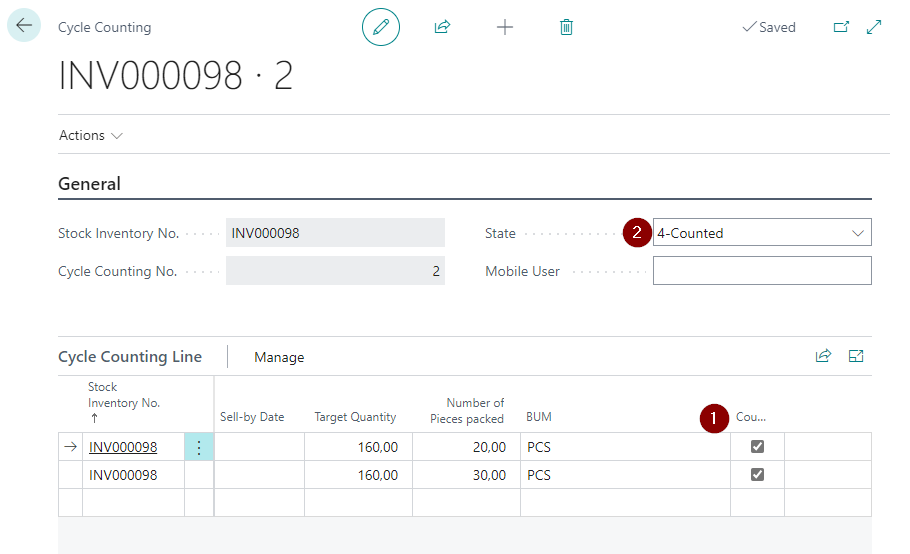
No count cycle after third count possible - Deviating message after third count cycle - Items 64844 und 64845
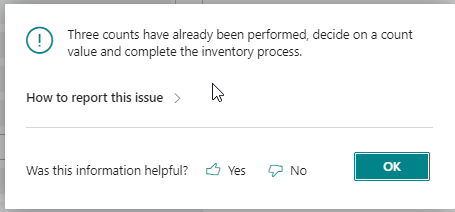
From now on, it is forbidden to create another count after the third count cycle. When you try to create a fourth count, this message will be displayed:
Selection of the last cycle counting list despite active cycle counting list - Item 64873
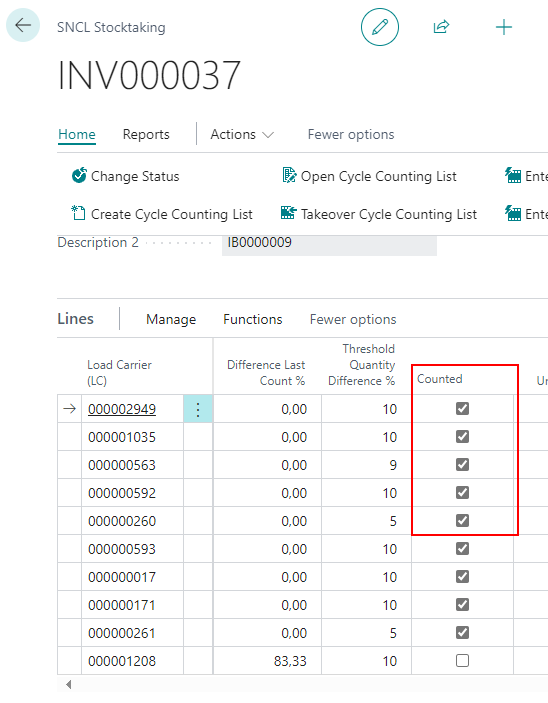
If there is already an open 2nd or 3rd count, the inventory management can still decide to use the last count value. For this, the inventory management activates the Counted checkbox in the SNCL stocktaking. The open cycle counting list is given the new status "8-Deleted/Discarded" so that it is clear that this cycle counting list has not been processed, but the last count value has been transferred to the stocktaking journal batch.
Stocktaking: Use Date Formula when creating new stocktaking - Item 66552
We have added a new button to the Create Stocktaking by Storage Place window:
- Use Date Formula
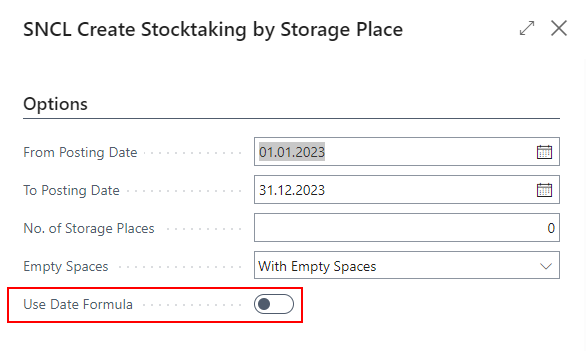
Activating this button will result in loading only storage places that match the date formula in the setup.
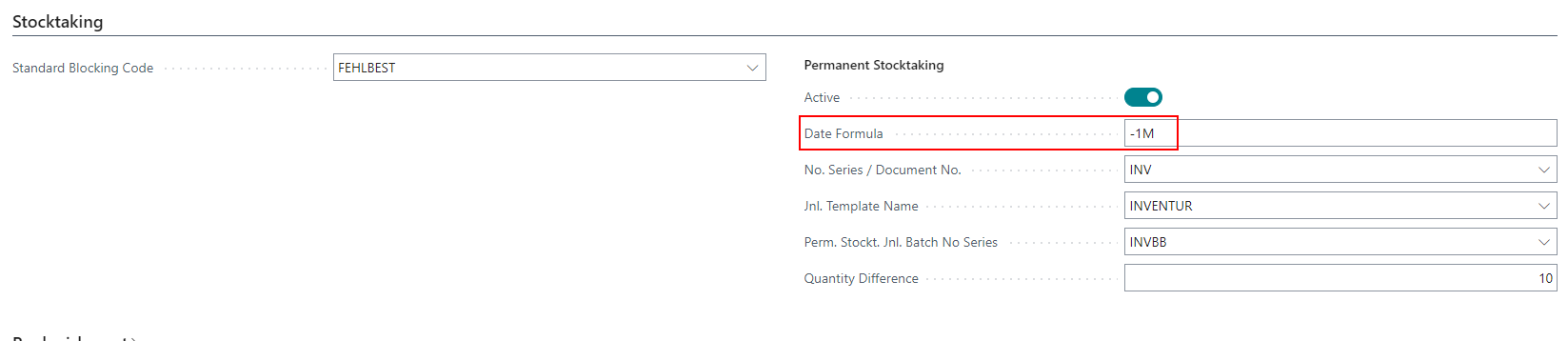
Example: The current date is 26.10.2023. The date formula is set to -1M.
Accordingly, storage places without inventory date and storage places with inventory date > 1month, i.e. from 25.09.2023, have to be counted.
::: Note Please note that the date formula must be set to a negative value for technical reasons. :::
Added more KPIs to the SNCL Stocktakings page - Item 60534
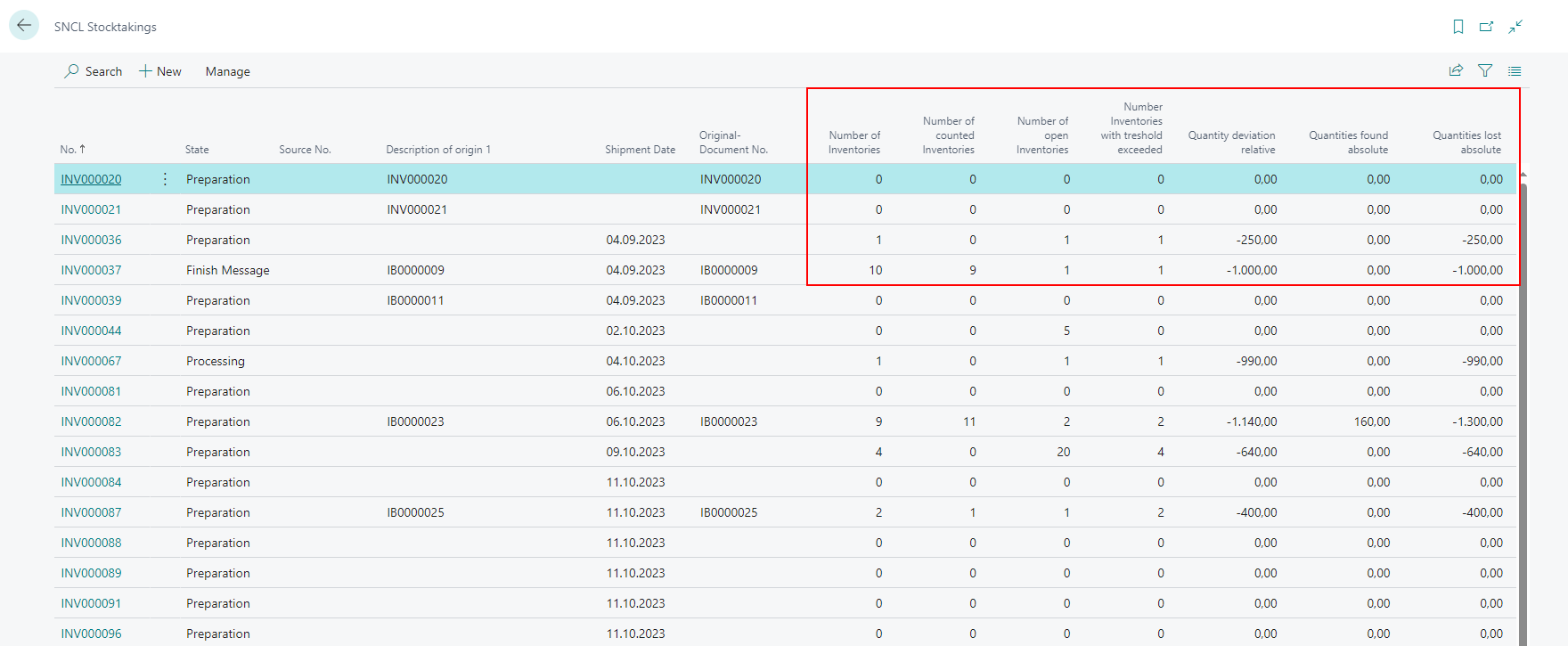
We have added the following fields to the SNCL Stocktakings list:
- Number of Inventories
- Number of counted Inventories
- Number of open Inventories
- Number Inventories with threshold exceeded
- Quantity deviation relative
- Quantities found absolute
- Quantities lost absolute
Automatic release of first and second count cycles - Item 64862
From now on, the first and second count cycles are automatically released after creation making them immediately available to the MDE.
::: Note In warehouses where MDE is not used, the status released is only informative. :::
Warehouse Shipment
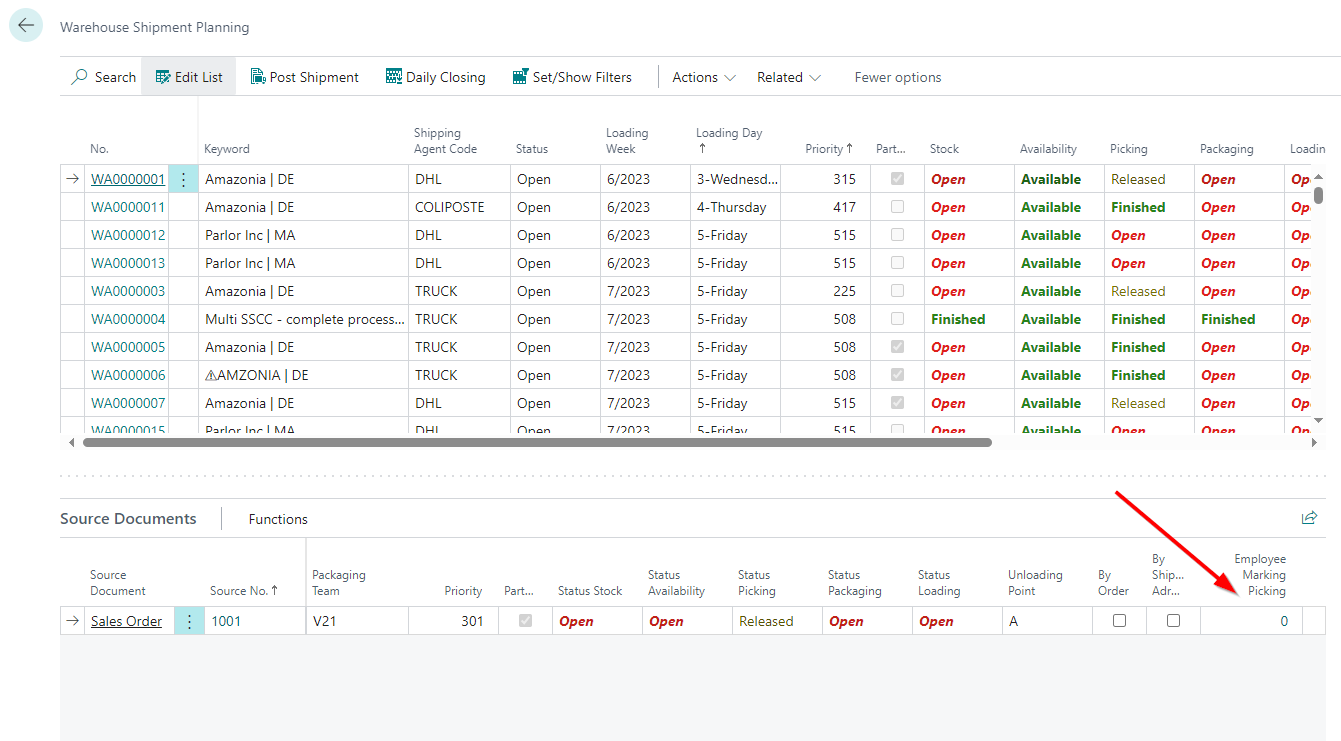
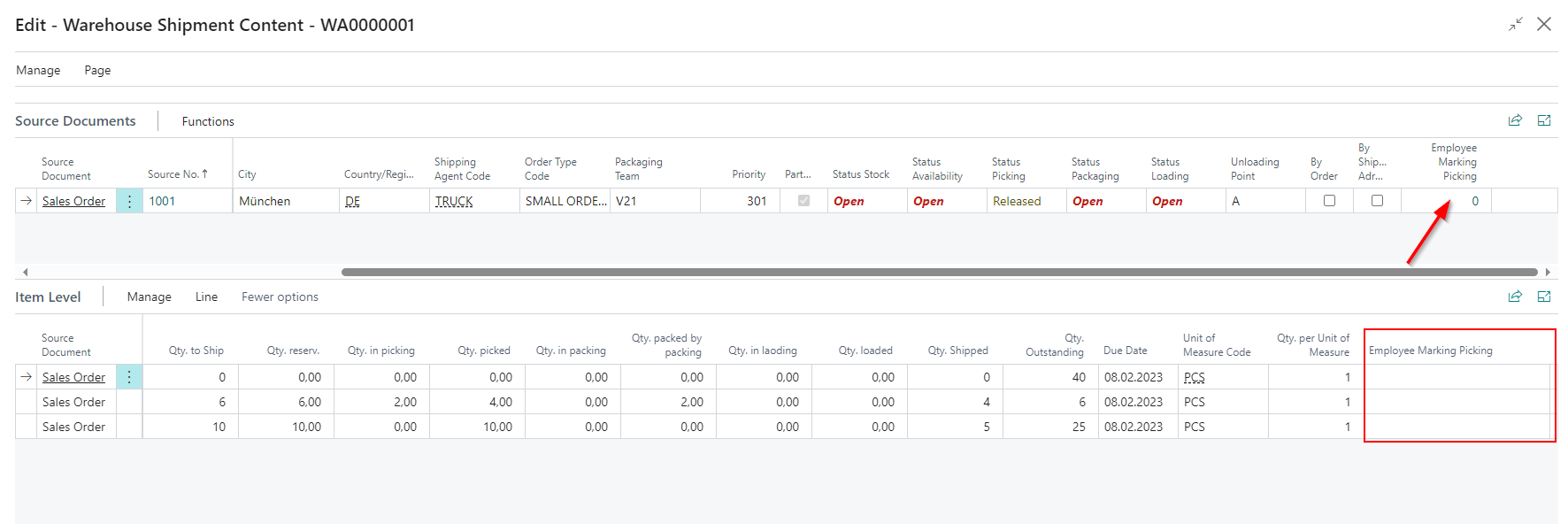
Display of Employee Marking on items and Warehouse Shipment Planning - Items 24519 and 63315
Employee markings are set in the picking document when an employee takes over a pick or a packing process via MDE. These employee markings can now also be viewed in Warehouse Shipment Planning at item level and in the source documents.
New field in the Warehouse Shipment Planning factbox - Item 58747
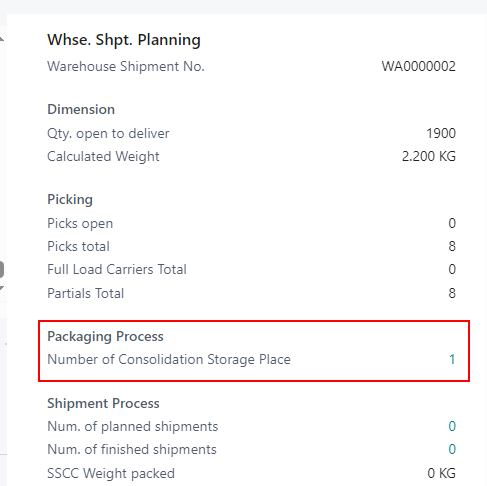
We have added the field Number of Consolidation Storage Place to the Warehouse Shipment Planning factbox. A click on the number opens a filtered SNCL Storage Place List.
Print SSCC Packaging Content List in Shipping Order - Item 58884
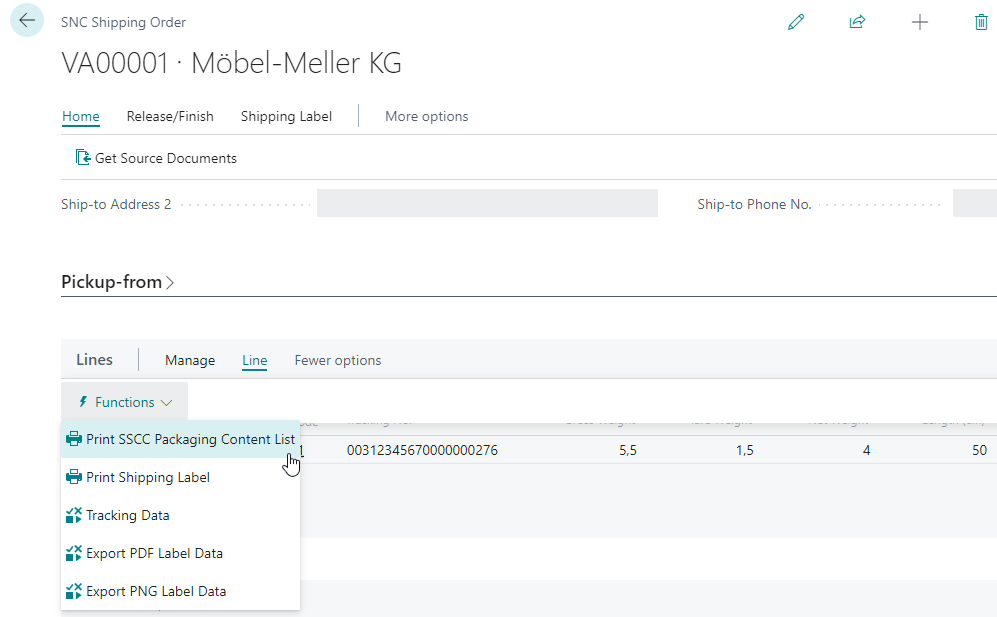
On the SNC Shipping Order you now have the option to print SSCC packaging content lists from the shipping order lines.
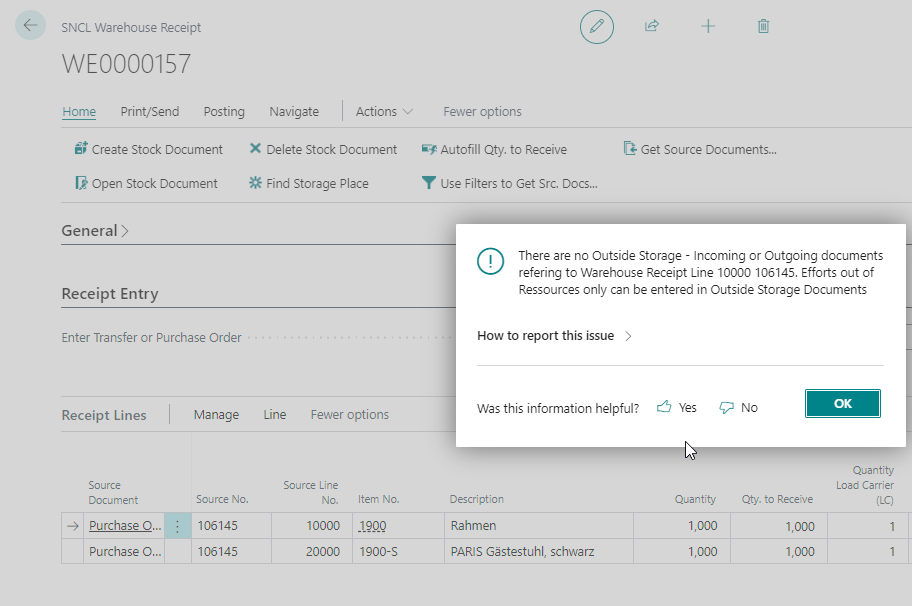
New error message when no outside storage found in warehouse receipt - Item 60710
A new error message will be displayed when you try to open a outside storage ressources in the receipt lines of the warehouse receipt if no outside storage document exists.
Enter loader and loading storage place in shipping agent and automatically apply those to shipment process - Item 64199
From now on you are able to enter a default loader and a default loading storage place in the shipping agent card.
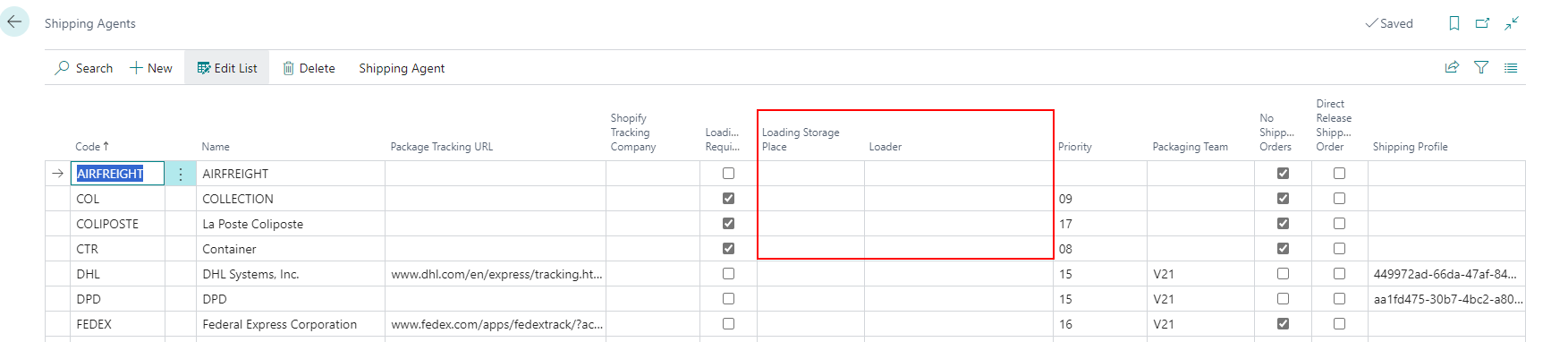
These fields will automatically be applied to a shipment process once you have entered the shipping agent.
New fields in the shipment process - Item 64203
Two new optional fields have been added to the shipment process page:
- Max./Standard Value Weight
- Max./Standard Value Volume
These fields define the maximum weight and volume for this shipment process. When filled, the loader can see on the MDE page 6.2 if the maximum weight or volume has been exceeded.
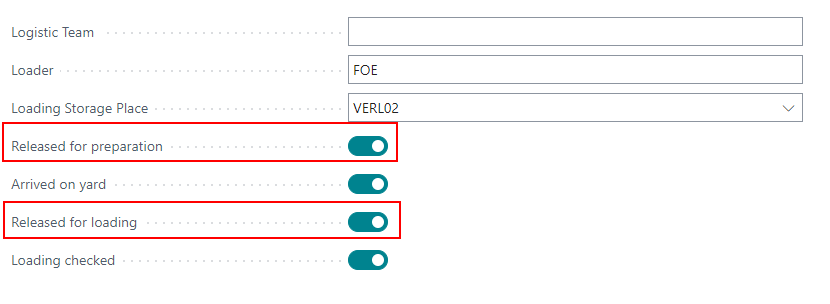
Change shipment process status directly on process card - Item 64207
Two new buttons have been added to the shipment process card. These allow a quick status change of the process.
- Released for preparation: Sets status to 2-released for preparation
- Released for loading: Sets status to 3-released
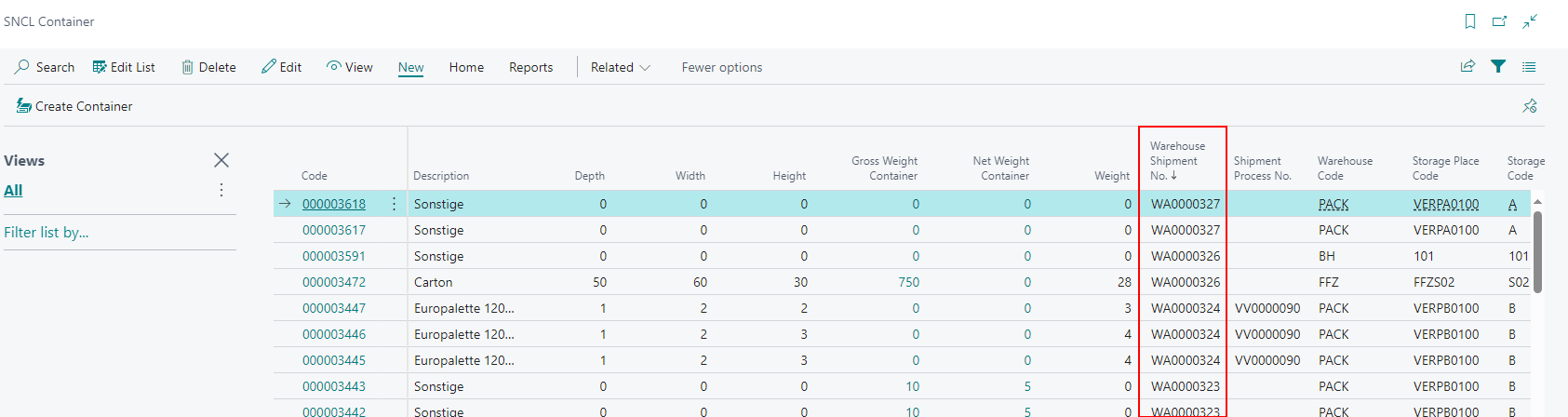
Warehouse Shipment No. now shows up in the SNCL Load Carrier list - Item 64504
We have added the column Warehouse Shipment No. to the SNCL Load Carrier List
Note when posting a partial warehouse shipment - Item 65529
To help you avoid mistakes we have added a message that pops up when you try to post a partial warehouse shipment.
Do you really want to make a partial delivery? Not all quantities have been packed / loaded!
You must confirm this to actually post the delivery.
Automatic PTU archiving after warehouse shipment posting - Item 65633
From now on, when you post a warehouse shipment, the associated PTUs will be automatically archived. You can find those in the Posted Load Carrier list.
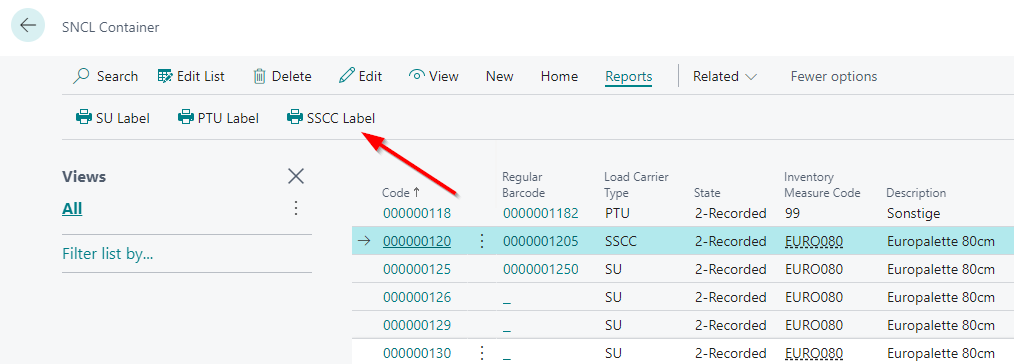
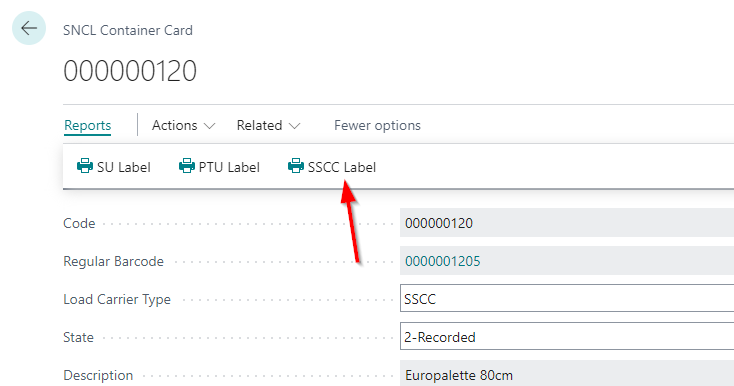
GS1-SSCC print also possible via Load Carrier page - Item 66465
We implemented the GS1-SSCC print function at the Load Carrier page. Now you can print GS1 SSCCs even for customers who have this feature enabled.
::: Note Please note that if multiple Load Carriers are selected in the list, all assigned customers must have either the GS1 feature enabled or disabled. Otherwise there will be an error message. :::
Warehouse Receipt
Automatic entry of the dimensions in the load carriers when they are created in warehouse receipt - Item 64080
If the load carriers are created in SNCL Inbound Stock Post via the warehouse receipt page, the dimensions from the inventory measures are now automatically entered in the load carrier lines.
MDE
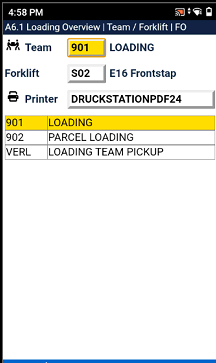
User must select loading team filtered forklift and printer when opening A6 on the MDE - Item 64204
If the loader selects menu item A6 Loading on the MDE, the team selection appears filtered to the teams with the type Loading. The user now selects the forklift and printer station.
New MDE page A6.1 Overview Loading - Item 64205
A new MDE page has been created: A6.1 Loading Overview. This page shows an overview over the current shipment processes with these states:
- 2-Released for preparation
- 3-Released
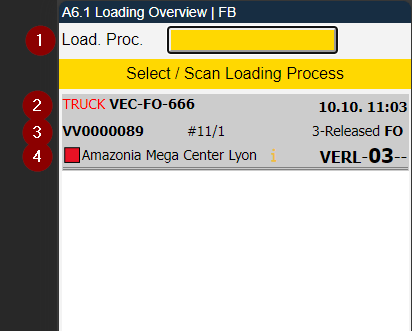
- Scanfield for the shipment number
- Left: shipping agent and licence plate | Right: time of the loading start or planned time of the loading start
- Left: shipment process number | Middle: #11/1 means 11 packed SSCCs and 1 loaded SSCC | Right: state of the shipment process and user
- Left: red square or green square - depends on the storage state of the Warehouse Shipment Planning (open or released) - and warehouse planning keyword from shipment process | Middle: Infosymbol which shows that a loading instruction has been entered | Right: loading storage place
Bugfixes
Post Shipment did not work under certain conditions - Item 45272
We noticed that Post Shipment in the SNCL SSCC Assignment Subform in the Packaging Card did not work properly under very specific conditions. We fixed this.
Wrong weights in SNCL Inventory Card - Items 62016 and 62018
We fixed a bug where the weight on the SNCL Inventory Card was incorrect under certain cirumstances.
Loading List shows wrong SSCCs - Item 62065
We fixed an issue where the loading list would show more SSCCs than it should.
Fixed Storage Unit label - Item 64076
We fixed an issue where the item unit of measure on the label was cut off when it became too long. In addition, we have adjusted a few other small things on the label.
Fixed incorrect Warehouse Receipt numbers - Item 64083
The SNCL Inbound Stock Post Order List also shows the associated warehouse receipt numbers. We noticed that some numbers were incorrect. The list even showed numbers where none should be. We have fixed this issue. Now the list only shows the correct warehouse receipt numbers.
Button "Open Cycle Counting List" in stocktaking opens correct counting - Item 64843
The Button Open Cycle Counting List in a stocktaking would only open the first count cycle, even if it was already finished. After our fix, the button opens the most recent count cycle.
Loading list and packaging errors when there are multiple sales orders in the warehouse shipment lines - Items 65083 and 65100
We fixed an issue where the loading list could not be created when there where multiple different sales orders in a scattered order in the warehouse shipment lines.
The same issue also lead to too many packaging processes in the Warehouse Shipment Planning.
Error when trying to post a warehouse receipt - Item 65551
We fixed an issue where it could happen that Inbound Stock Post lines could not be posted correctly in a very specific scenario of warehouse receipt in an outside storage.
Error with proposals greater than 1000 in Outbound Stock Post - Item 65736
We noticed that there can be some problems and difficulties in posting Outbound Stock Posts when the quantity or weight proposal is >1000. It turned out that the problem was the thousand separator. This was not intended in the original version, which is why there were calculation errors in places. We have now completely removed the separators from the proposals for the time being. Possibly they will be implemented again in the future.
GS1-SSCC: Extension digit 0 not possible - Item 66366
We fixed an issue where it was not possible to use 0 as extension digit for the GS1 codes.
GS1-SSCCs not correct - Items 66459, 66464, 66466, 66835
We have identified and fixed several problems in the new GS1-SSCCs:
- The intended way to generate the GS1 code was for the system to use the base GLN and then the last digits of the associated Load Carrier code to fill in up to 17 digits. Due to a problem, this did not work properly, but we have fixed it.
- Sometimes no start character was generated for GS1-128
- Unnecessary brackets and spaces
- Barcodes too small
- "*" or DIVERSE not added, when there are multiple items in the SSCC
- Day and year mixed up on the expiration date
Multiple prints of SSCCs - Item 66462
We fixed an issue where multiple unintended print jobs per SSCC were queued, if they were sorted in a particular way.
Error when trying to open shipment process - Item 66522
We have fixed an issue which caused an error when you try to open a shipment process.
Removal of consolidation warehouse and storage place from logistic team not possible - Item 66864
We have fixed an issue where you couldn't remove the consolidation warehouse and storage place from the logistic team after you added it.
Minor bugs and spelling mistakes
We fixed a few more minor bugs and spelling mistakes: