Troubleshooting
Replacing a printer
The following steps must be performed when replacing a defective printer:
- Add the new printer to the list of virtual printers in Business Central
- Alter the AppSettings.json on the local print server
- Restart the service so that the changes to AppSettings.json are applied
Altering the AppSettings.json
When altering the AppSettings.json, the BC and Local fields in the Sources area and Name and UNCPath in the Printing area must be updated.
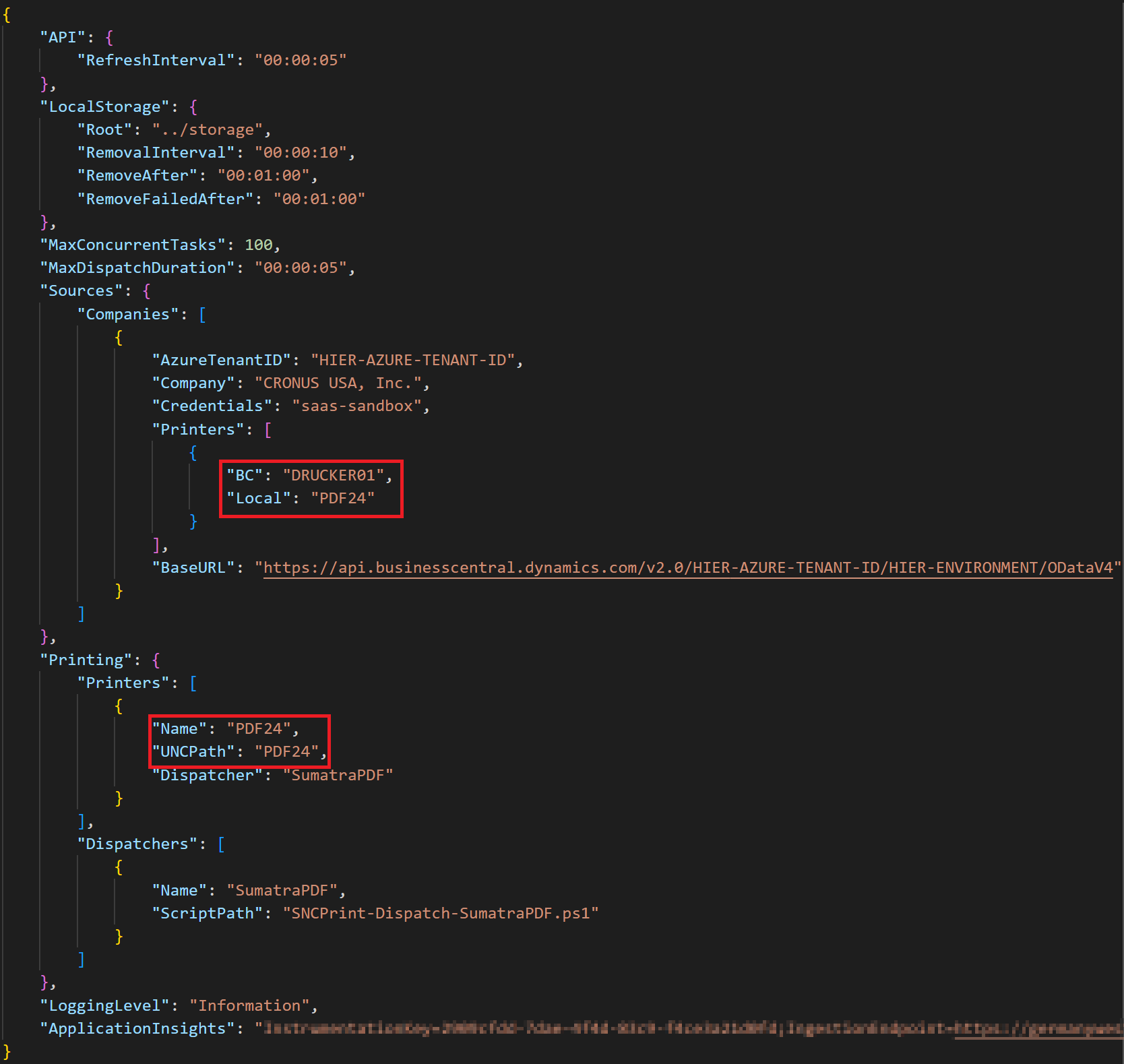
Alternatively, you can also add a new block in the two printer areas with the new printer and delete the old entries.