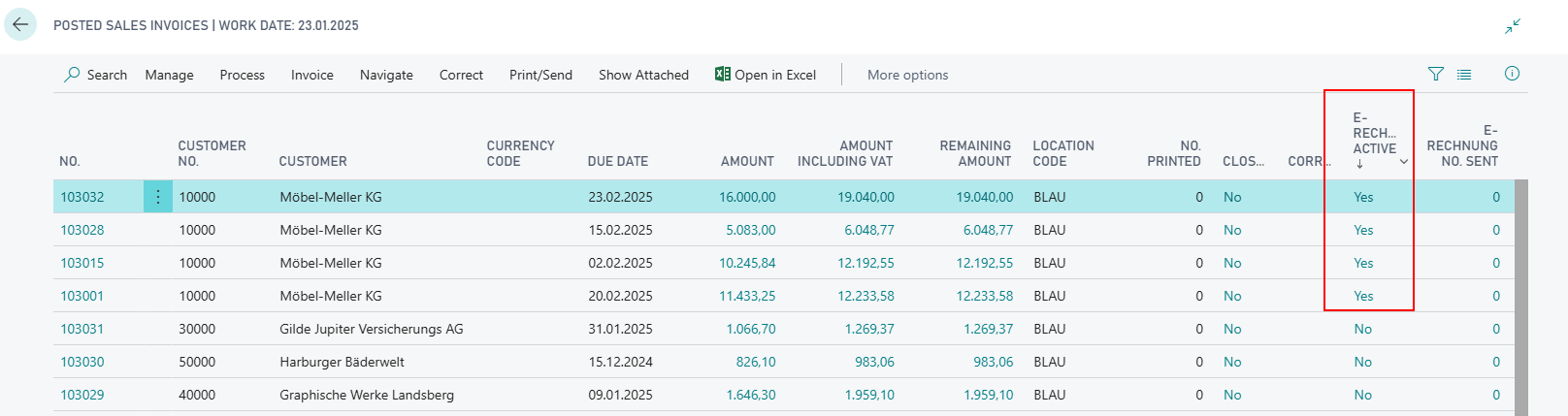
Create and Send multiple E-Invoices at the same time
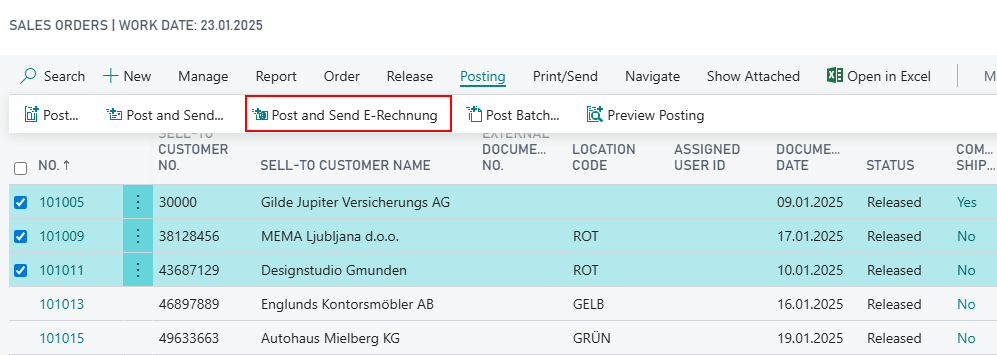
After selecting any amount of orders via CTRL-Click on the orders overview page you can trigger processing of multiple orders at the same time via the action Post and Send E-Rechnung. As a result, these are posted and then an e-mail with the created E-Rechnung is sent in each case to the address stored at the customer.
Hinweis
Please note that the E-Rechnung batch posting only works for customers who are active for E-Rechnung. Orders from customers for whom E-Rechnung is not active are not posted.
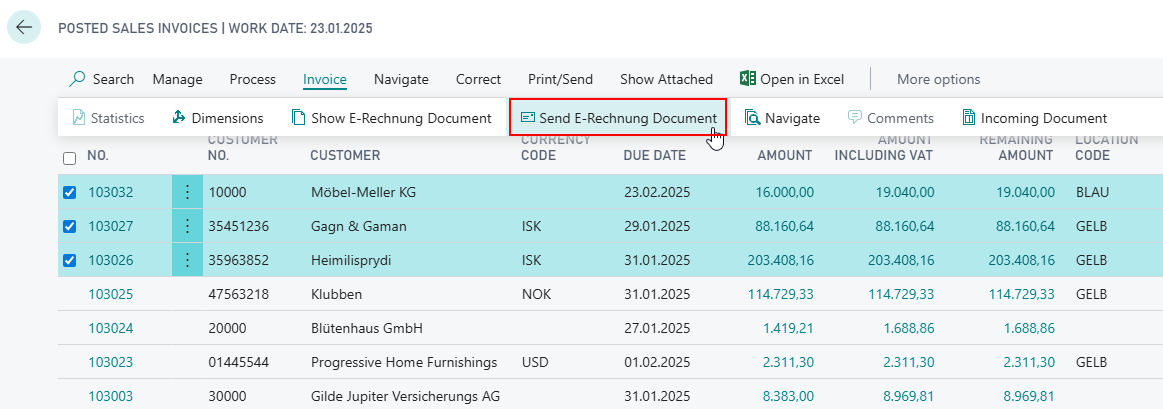
Multiple E-Rechnung invoice documents can also be send at once from the Posted Sales Invoices overview. To do this, select the action Send E-Rechnung Document
To facilitate multiselection, you can sort the list of posted invoices by E-Rechnung-customers.