Custom Attachment
If you want to select the option Custom attachment in the Source of attachment, the corresponding page must be filled out beforehand. This can be found in the menu band of the Attachment Sources.
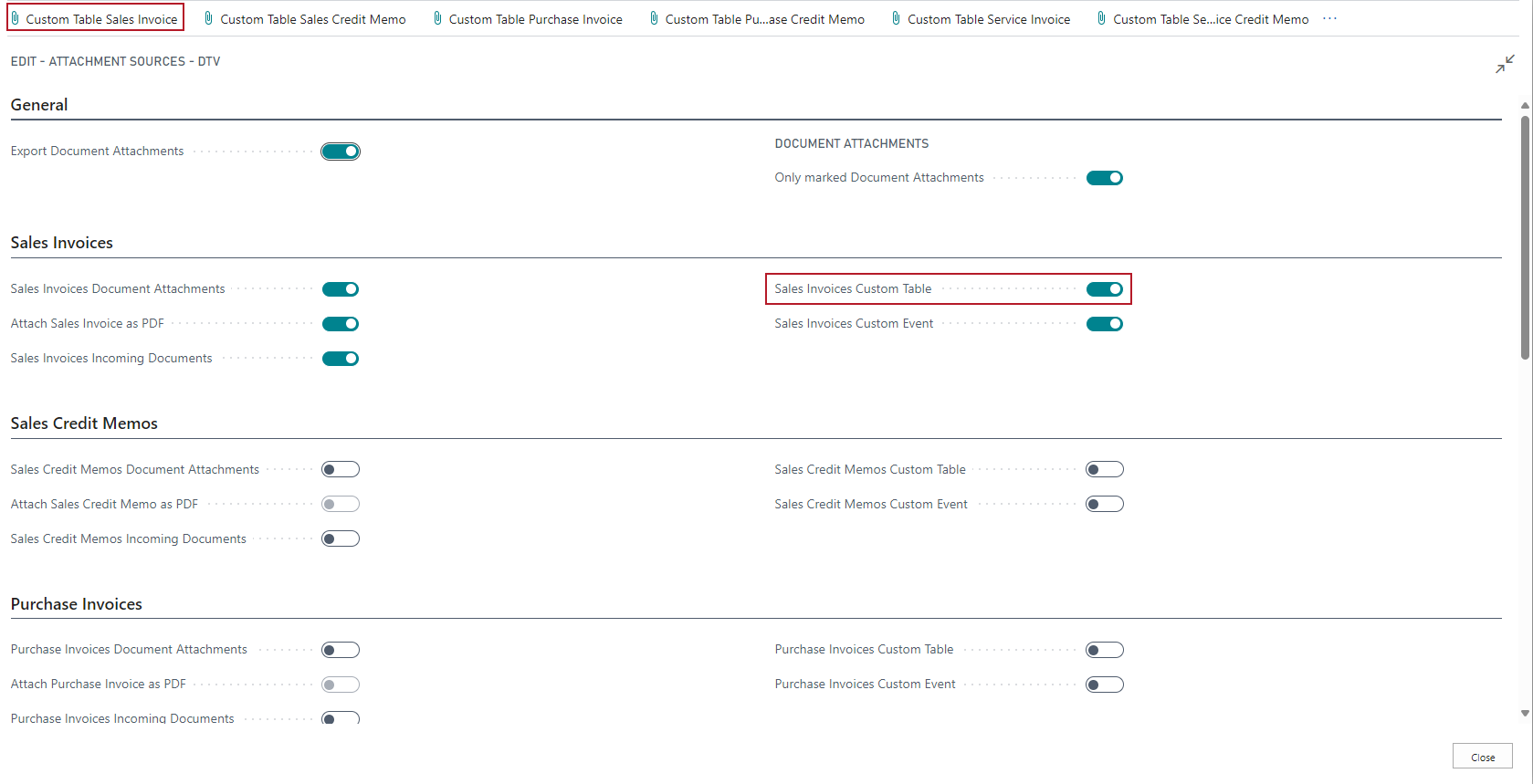
Set up a table here that corresponds in the broadest sense to the DATEV Exported Attachments table that serves as a buffer in the booking data service. As an example, two tables from the BC standard have been set up here:
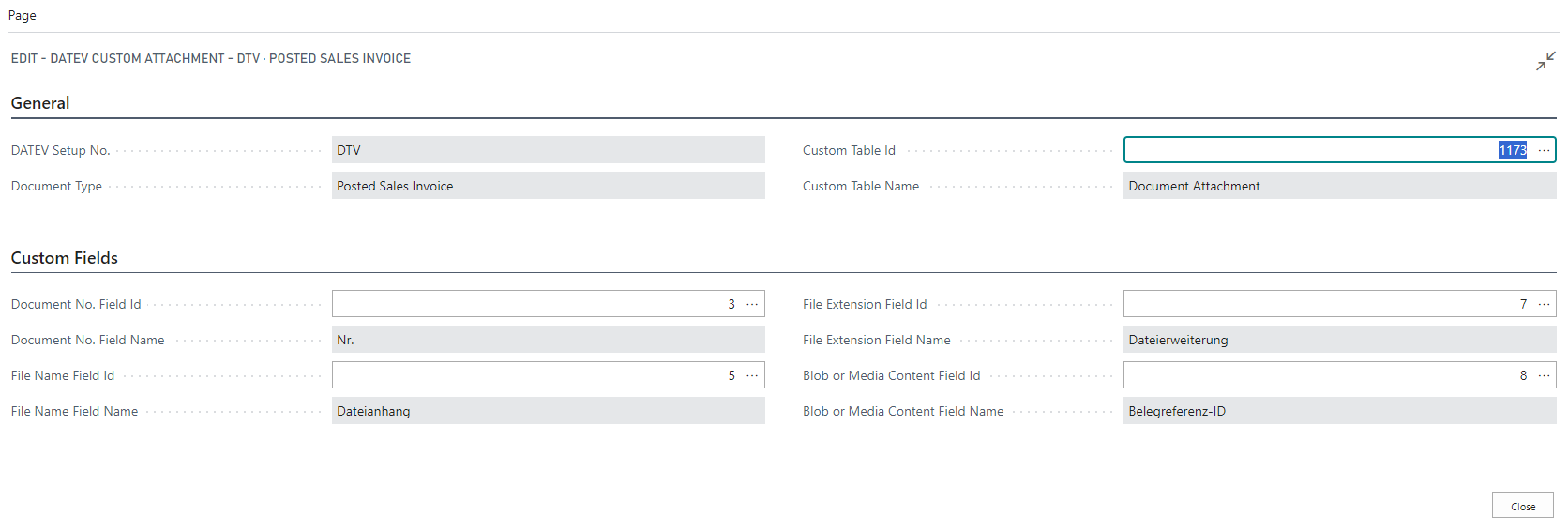
Mandatorily required are
- Document No. Field Id (Code, max. 20 digits)
- File Name Field Id (Text, max. 250 characters)
- File Extension Field Id (Text, max. 30 characters)
- Blob or Media Content Field Id
::: Attention Only the first data record is transferred for all options. :::
If a posted document is exported that has a document attachment in the selected table, then this is transferred to the DATEV Exported Attachments table and can then be sent from there to the data center.
Hinweis
Since the data is determined via so-called RecordRefs, performance losses cannot be ruled out. Particularly with a large number of G/L items in the export and additional document screens, the export can be significantly delayed. Here it makes sense to shorten the period between exports.
Integration of Continia Document Capture
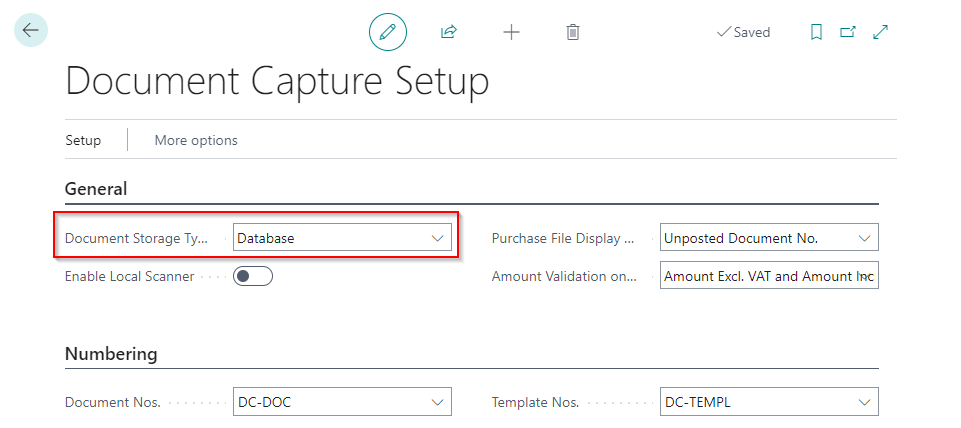
With SIEVERS DATEV Buchungsdatenservice it is possible to obtain the document images for exporting also from Continia Document Capture. To do this, Database must be set up as a document store during the Document Capture setup. Only then can the setup be done via a Custom Attachment.
Hinweis
If you want to use a different document repository, individual programming work is necessary. Please contact your SIEVERS DATEV Buchungsdatenservice partner for this.
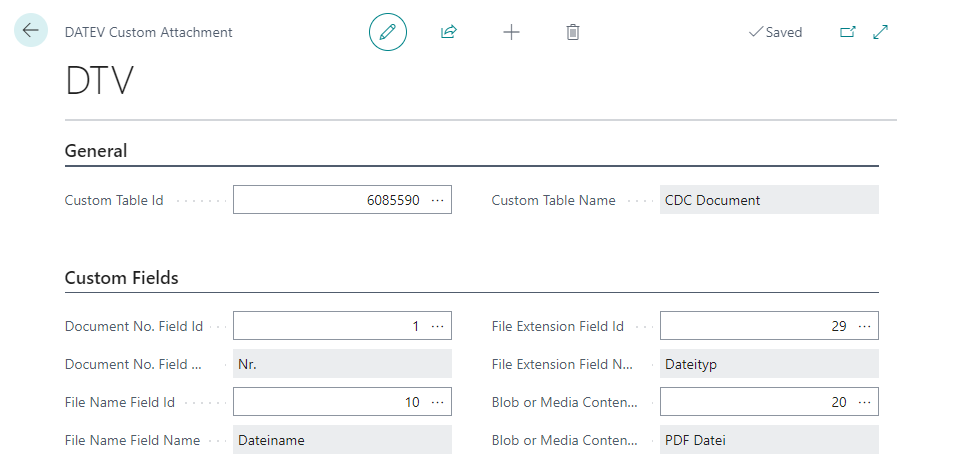
Now create a custom attachment with the following data:
- Custom Table ID: 6085590
- Document no. Field ID: 1
- File name Field ID: 10
- File extension Field ID: 29
- Blob or Media Content Field ID: 20
Then, after an export, you can also view the attachments exported from Continia Document Capture in the corresponding table.